

Reading and Creating PCB Schematics: Workflow and Checks
Reading and Creating PCB Schematics: Nets, Pins and Hierarchy
Author: Ban Lv | Published for icallin.com | Updated: October 21, 2026
Reading and creating PCB schematics both come down to one task: tracing which pins belong to each net, what each part is and how the circuit is meant to work. Reading a schematic means following those relationships. Creating one means recording them accurately enough for review, PCB layout and later troubleshooting.
A schematic is a connectivity drawing, not a placement plan. Two symbols drawn side by side may sit far apart on the board, while two distant points with the same net label may be one electrical node. Start with connectivity, then use the page arrangement to understand the design intent.
Learn the information carried by each symbol
Each symbol carries three separate pieces of information. The reference designator (R1) identifies one instance, the value (10 kΩ) describes a property, and the pin numbers link the drawing to the physical device. Read them together.
Read every value with its ratings. A capacitor marked 100 µF still needs a voltage rating and, where relevant, polarity. A connector's reference says nothing about its pin order. Check the selected component's datasheet before accepting a library symbol. Symbol shapes and conventions are covered in more depth in our circuit-symbols guide.
Follow schematic net labels rather than the shortest line on the page
For component pin polarities, junction dots and functional terminal conventions, refer to our comprehensive guide on circuit symbols.
A net is the set of electrically connected pins and conductors. Wires, junction dots, schematic net labels and power symbols all contribute to it. A wire that looks close to a pin may still miss its electrical endpoint.
Crossings and labels deserve particular attention. KiCad's electrical-connection documentation explains its junction-dot convention and the difference between local, hierarchical and global label scopes. Every editor defines these rules, so confirm the rules used in your project before assuming two identical text strings connect.

Figure 1. Connectivity depends on electrical objects and their scope. A symbol's appearance and page position do not define the physical PCB pad arrangement.
In the figure, the repeated VIN labels connect because they share one scope. The dotted crossing is a connection; the plain crossing is two separate nets. The last check follows pin number 1 to pad number 1 instead of matching shapes by eye.
Read a circuit in schematic circuit blocks
Split the page into schematic circuit blocks: power entry, main active device, control network and output or interface. Follow the supply and return as well as the forward signal path. This is usually faster than reading every symbol in order.
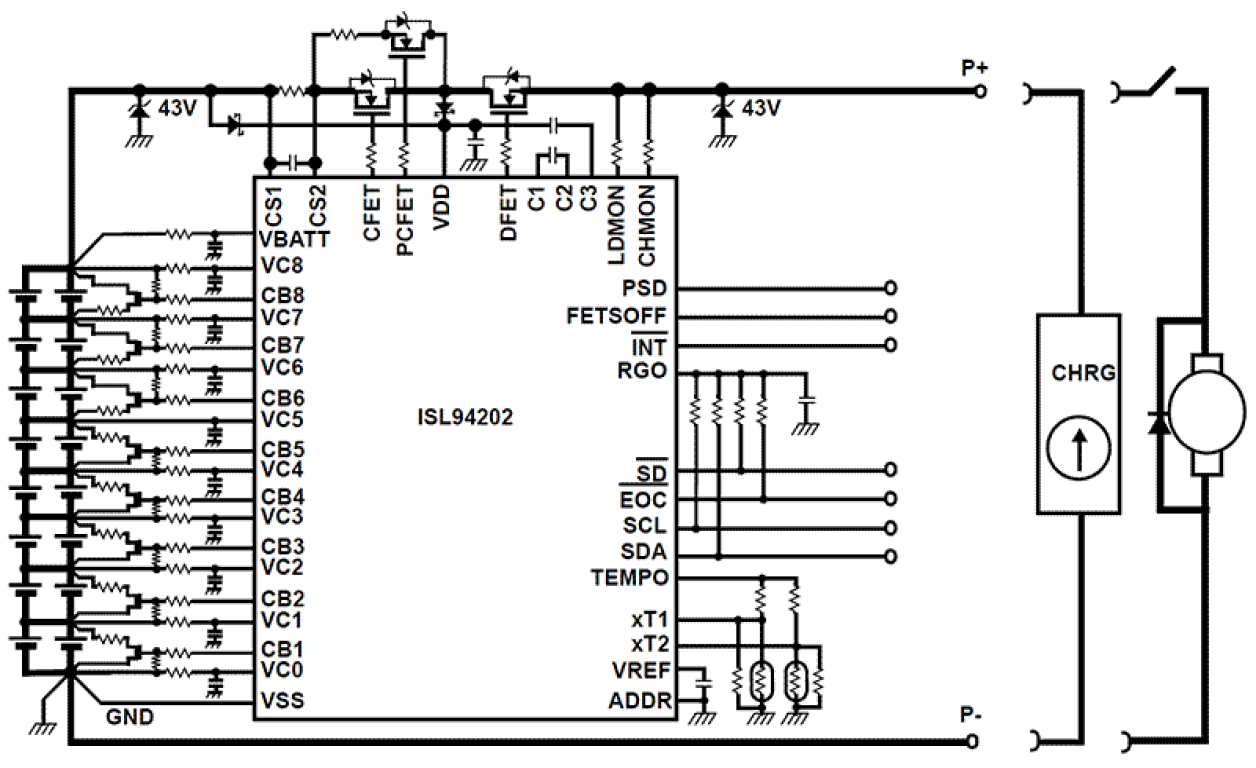
A battery-charger schematic, for example, reviews well in four blocks:
- Input. Connector polarity, permitted voltage range and local capacitance.
- Charger IC. Exact part number, supply pins, enable inputs and status outputs.
- Current-setting network. Each component's role, checked against the datasheet equation.
- Output. Battery or load connection and its return path.
Treat net names such as CURRENT_SET or CHARGE_STATUS as clues, then confirm the behavior from the device datasheet. The resistor value, together with the datasheet equation, sets the charging current.
Supply capacitors provide local bypassing or bulk energy storage depending on their value and position. Their effectiveness also depends on PCB placement, which is a layout task.
Build the schematic in a controlled sequence
1. Set up the project structure. Create a named project, split functional blocks into sheets where it aids review, and decide naming for power rails, interfaces and repeated circuits before placing parts.
2. Place verified symbols. Check each symbol's pin functions, numbers and electrical types against the datasheet. Assign footprints for every part that will be mounted. Confirm the exact package variant, because parts in the same package family can use different pinouts.
3. Connect the circuit deliberately. Snap wires to real connection points and label nets intentionally. Review power, ground, enable and unused pins against the device guidance, and place a no-connect marker only where an open pin is allowed.
4. Annotate and document. Give every component a unique reference, show values and part identities, and note connector functions and special requirements next to the circuit they describe.
5. Run the electrical rules check (ERC). ERC flags unconnected pins, conflicting pin types and similar issues based on the configured rules and library data. Fix the cause or document a justified exception. Analog behavior, ratings, firmware and power sequencing still need engineering review.
6. Save a reviewable revision. Keep the editable project, its library dependencies and a PDF export consistent. The PDF supports review; the editable project carries the electrical data for layout.
Symbol pin mapping and PCB footprint verification
The schematic and the board meet at symbol pin mapping. KiCad's symbol-pin documentation states that symbol pins map to footprint pads by number. A mirrored view, a wrong package variant or a misnumbered connector can defeat an otherwise correct circuit drawing, so PCB footprint verification is a required step before layout.
| Check | Read from the schematic | Confirm before layout or assembly |
|---|---|---|
| Component identity | Reference, value and selected device | Ratings and exact package variant |
| Connection | Net names, junctions and pin functions | Intended electrical endpoints and label scope |
| Pin mapping | Symbol pin number | Corresponding device terminal and footprint pad |
| Review status | ERC results and design notes | Resolved issues and justified exceptions |
| Revision | Sheet and project identity | Matching PCB, BOM and released documentation |
Table 1. The handoff needs both electrical intent and a verified physical mapping.
After transfer to layout, ERC is replaced by PCB DRC, which checks physical rules. Both are needed, and a final review of the exported fabrication and assembly data closes the loop.
Make the next reading easier
Use consistent signal flow (inputs left, outputs right), short labels and enough whitespace to keep nets traceable. Group related parts and place notes beside the circuit they explain. Avoid using wire color as the only carrier of meaning, because printed and exported copies may lose it.
Keep symbols and wires on the project grid. After moving or replacing a part, recheck its endpoints and rerun ERC. Use net highlighting or cross-probing to resolve ambiguity.
Troubleshoot from expected behavior to measured behavior
Start with the failed function and identify its block. Trace its power, control and signal nets in the released schematic, establish the expected voltages from the circuit and datasheets, then measure the same points on the board.
If the drawing is correct, inspect the hardware: part identity, orientation, solder joints and continuity. If the circuit needs a change, update the editable design and the board data together so the next production revision includes it.
Frequently Asked Questions
Does a schematic show where components belong on the PCB?
No. It describes electrical connections and circuit function. PCB layout sets physical positions and copper geometry, using verified footprints and the circuit's layout requirements.
Is an ERC pass enough to release a board for manufacture?
No. ERC checks the electrical rules configured in the tool. Circuit review, footprint mapping, PCB DRC and production-file review are separate, required steps.
What should I check first when reading an unfamiliar schematic?
Find the power entry and ground, then the main IC and its supply pins. Once the supplies are clear, follow the signal path block by block and confirm net-label scope wherever a connection jumps between sheets.
Conclusion
Read a schematic by following nets, pin functions and circuit blocks. Create it with verified symbols, clear connections and consistent annotation, then confirm the mapping to real PCB pads. The same discipline makes the drawing useful during layout, review and troubleshooting.
Written by Ban Lv for icallin.com.
Need Help With PCB Manufacturing or PCBA Assembly?
Share your PCB manufacturing or PCBA assembly requirements with icallin through our dedicated quotation page.